




A marketing manager reviews a campaign report on Meta and finds a sales number that differs from what shows up in the store’s internal system. The question that always follows: which number is correct? The answer usually doesn’t lie in one "correct" number, but in understanding how each system gathers its data in the first place — and that’s where Meta Pixel and Meta CAPI come in.
What Is Meta Pixel?
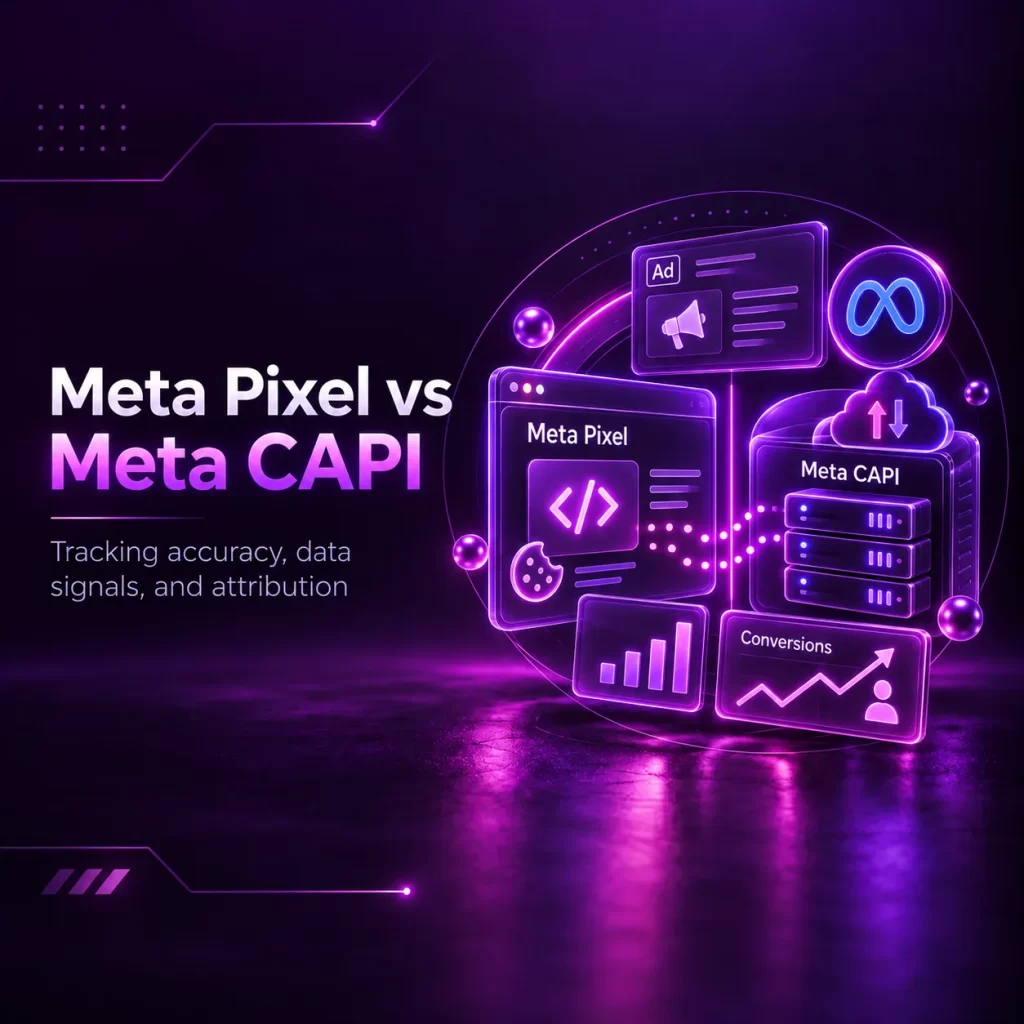
Meta Pixel is a piece of code added to a website to record events that happen on it through the user’s browser, such as page visits, adding products to cart, and completing a purchase. This data can be used for measurement, building audiences, and helping Meta improve campaign delivery.
What Types of Events Can Be Tracked?
Among the most common trackable events: PageView (visiting a page), ViewContent (viewing specific content like a product page), Lead (filling out a contact form), AddToCart (adding a product to the cart), InitiateCheckout (starting the checkout process), and Purchase (actually completing a purchase).
What Is Meta CAPI?
Meta CAPI, or the Conversions API, is a method for sending event data to Meta from a source the business controls, such as the website’s server, the store’s system, or a CRM. It may include the same website events that Pixel sends, or other events like qualified leads and sales recorded within the system.
The Difference Between Browser-Side and Server-Side Tracking
Pixel works through the user’s browser, so it can be affected by browser settings, script-blocking, and consent mechanisms. CAPI, meanwhile, sends data from the server or internal system, which may make it less dependent on the browser. But it doesn’t exempt the business from consent and privacy requirements, and doesn’t mean all data will arrive or be matched automatically.
Why Isn’t CAPI a Complete Replacement for Pixel?
CAPI can send events independently in some cases, but it doesn’t always perform the same function Pixel performs within the browser. That’s why the two are often used together to get more complete signals, provided deduplication is set up and data is tested properly.
Why Are the Two Often Used Together?
Combining them may help improve the completeness of signals and event-matching chances, and reduce reliance on the browser alone, while respecting privacy settings and platform policies.
The Concept of Event Deduplication, Simply Put
When the same event is sent from both Pixel and CAPI, the event name and its unique event ID usually need to match across both submissions, so Meta can recognize them as one event instead of counting it twice.
The Difference Between Event, Conversion, and Attribution
- Event: A recorded action, such as ViewContent, Lead, or Purchase.
- Conversion: An event considered an important outcome for the business or a campaign objective, such as a completed purchase or a qualified lead. Determining which event counts as a conversion is tied to how each business sets up its measurement and reporting.
- Attribution: The rules that determine whether an ad gets credit for a conversion, and at what timing and touchpoint.
Why Might Different Numbers Show Up Between Meta, GA4, or the Internal System?
Numbers may differ due to differences in attribution model, attribution window, how the user is identified, event recording timing, time zone, tracking consent, and duplicate or missing events. Because of this, the internal system should be treated as the primary reference for actual sales, while ad platforms are used to understand how campaigns contribute to those results. This concept is covered more broadly in our digital marketing measurement guide.
The Impact of Tracking Setup on Measurement, Campaign Optimization, and Audience Building
A good tracking setup helps estimate how much ads contribute to results, and helps build custom or lookalike audiences based on available events. It’s important to clarify that improving your CAPI setup doesn’t automatically lower cost — it improves the quality of the data decisions are built on, not the campaign’s outcome by itself.
What Can’t Pixel or CAPI Fix?
No matter how accurate the tracking setup is, it can’t compensate for weaknesses elsewhere, such as an unconvincing offer, a poor landing page experience, weak creative content, or disorganized sales follow-up after a lead arrives. This is covered in detail in our guide, Meta Ads: How Instagram and Facebook Ads Work.
The Importance of Event Match Quality
Event Match Quality measures how much matching data is available to help Meta connect an event to a potential account, such as an email address or phone number after being hashed according to platform requirements. A high score doesn’t automatically mean the setup is perfect, and doesn’t justify sending data you don’t have legal grounds to process.
The Importance of Consent, Privacy, and Policies
Any tracking setup must respect user consent and applicable privacy policies, not try to circumvent them. This is a fundamental aspect that should be discussed with the developer or agency responsible for the setup.
You shouldn’t send sensitive or prohibited information within event names, page titles, or parameters — especially medical, financial, or legal data, or any information that reveals a sensitive personal situation about the user.
Questions to Ask Your Developer or Agency During Setup
- Which events will actually be tracked?
- Has each event actually been tested after setup?
- How is Event Deduplication managed between Pixel and CAPI?
- Does the setup respect current privacy policies and consent?
- What Dataset or Pixel ID will events be sent to, and who owns it?
- Do event names and IDs match between Pixel and CAPI?
- Does Purchase include the correct value, currency, and order ID?
- Have events been tested through Test Events and Events Manager?
- Is only Lead being sent, or can Qualified Lead or Sale be sent later from the CRM?
- How will user consent and sensitive data be handled?
- Who will monitor Diagnostics and errors after setup is complete?
Comparison Table: Pixel vs. CAPI vs. Both Together
| Aspect | Meta Pixel | Meta CAPI | When Used Together |
|---|---|---|---|
| Sending source | User’s browser | Server or internal system | Both sources |
| Common use | Website events and browsing behavior | Website events, CRM, or internal sales | Improving signal completeness |
| Key limitations | Affected by browser, consent, and script-blocking | Depends on integration quality and the data sent | Needs proper deduplication |
| Complexity level | Simpler on some websites | May need technical integration or a middleware tool | Needs ongoing testing and monitoring |
| Expected outcome | Browser data | Server or system data | More complete measurement, not perfect matching |
Common Mistakes
- Sending duplicate events without a proper deduplication mechanism, which inflates numbers misleadingly.
- Sending a Purchase event without the correct value or currency, which makes return calculations inaccurate.
- Not actually testing events after setup before relying on their data.
- Treating every Lead as an actual sale, even though it’s just initial interest that still needs qualification and follow-up.
- Not matching tracked events to actual business stages, which makes reports fail to reflect the true customer journey.
- Installing a Pixel or Dataset owned by the agency instead of the business, which causes a problem when switching service providers.
- Sending a Purchase event when the thank-you page opens instead of confirming the order is actually complete.
- Using a different Event ID in Pixel and CAPI, which prevents deduplication.
- Sending medical or sensitive data within a URL or event parameters.
- Setting up tracking once and not reviewing Diagnostics after a website or store update.
Frequently Asked Questions
Should Pixel and CAPI always be used together?
It’s not mandatory in every case, but using them together often improves tracking accuracy compared to relying on just one.
Does CAPI guarantee a complete solution to data loss?
No. CAPI helps reduce data loss and improve matching quality, but it doesn’t guarantee a complete solution to all current tracking limitations.
Do Meta and GA4 numbers match after setting up Pixel and CAPI?
Not necessarily. Each system uses a different calculation methodology, and a natural gap between the numbers may remain even with accurate tracking set up in both.
Does installing Pixel and CAPI require programming expertise?
It depends on the website and platform. Pixel or CAPI may be available through ready-made integrations in some stores and content management systems, while custom cases or CRM integration need a developer or tracking specialist. Even with a ready-made integration, testing and verifying event quality remain necessary.
Who’s responsible for setting up Pixel and CAPI: the agency or the developer?
It depends on the scope of the agreement and the website’s structure. The agency may define the required events and review measurement, while the developer implements the technical integration. What matters is that ownership, permissions, and testing and monitoring responsibility are clearly defined.
Does CAPI automatically improve campaign performance?
No. It improves the quality of the data campaigns are measured against, but actual performance also depends on other elements like the offer, content, page, and follow-up.
Ready to Talk to Zain Media?
Zain Media is a digital marketing agency based in Kuwait, founded in 2015.
If your Meta campaign reports don’t accurately reflect what’s actually happening in your internal system, Zain Media can help you review your tracking setup as part of an integrated measurement system. Tracking setup is also part of our paid advertising management.